CV Scanner AI
LinkedIn Profile Optimizer

Optimize Your LinkedIn Profile for Recruiter Searches

Upload your LinkedIn profile PDF, define your target roles, and let AI rewrite your headline, about summary, and experiences. Maximize search visibility and secure more recruiter callbacks.

Overall profile score & critique of weaknesses
3 copy-pasteable headline variations
Complete rewrite of your About summary
Optimized experience bullet points
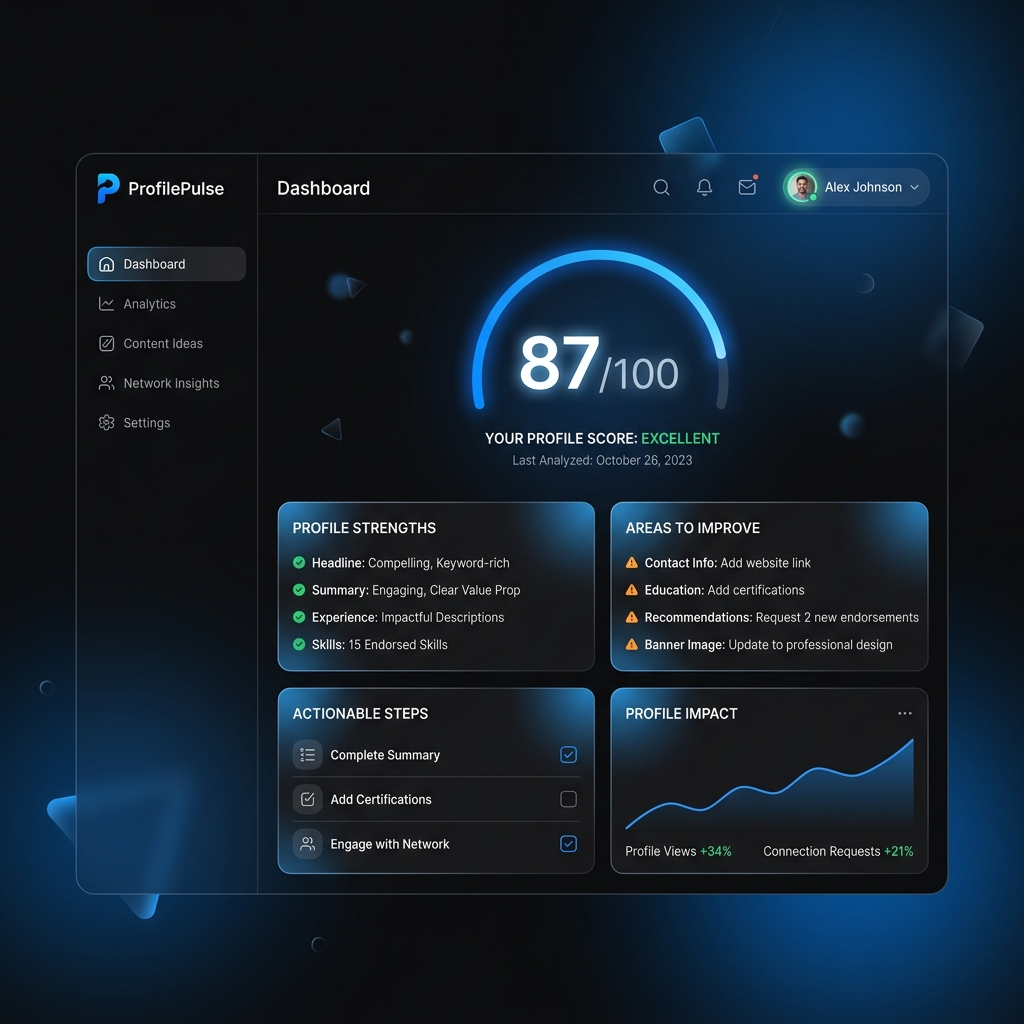
AI LinkedIn profile optimizer showing scoring, keyword analysis, and profile audits

Audit and rewrite your profile in under 2 minutes

Get your LinkedIn profile ready for recruiter search indexing in three easy steps.

01

Save LinkedIn Profile to PDF

Navigate to your LinkedIn profile page, click the "More..." button under your main profile block, and select "Save to PDF". This downloads a clean text snapshot of your profile.

No password required
02

Upload and Define Target Roles

Drag and drop the PDF into our LinkedIn optimizer. Add your target job title and target keywords. The AI analyzes your profile against the criteria recruiters search for.

Instant profile search audit
03

Copy-Paste Optimized Sections

Get instant rewrites for your headline, About summary, and experience descriptions. Fill critical keyword gaps, and apply the checklist tips directly to your live LinkedIn profile.

Boost search visibility

Close the gaps that make you invisible to recruiters

Recruiters search LinkedIn using very specific terms. If your profile doesn't have the exact spelling or variants of key skills, you won't show up. Our AI checks your profile text, identifies missing industry keywords, and suggests where to add them.

  • Discovers missing technical skills and domain certifications
  • Aligns your vocabulary with modern industry terminology
  • Recommends 10-12 core search terms to highlight in your skills section
  • Analyzes search ranking factors for your targeted positions
Search Score
64
Identified Keyword Gaps:
System Design TypeScript Cloud Architecture Microservices CI/CD Pipelines

Three headline variations designed for search and clicks

Your headline is the single most important ranking and click-through factor on LinkedIn. The AI generates three target variations (up to 220 characters) optimized for different goals: keyword density, value proposition, or a balanced hybrid layout.

  • Search & Keyword focused: Direct skills separated by modern separators (| or •)
  • Value-proposition focused: Highlights your core achievements and business impact
  • Hybrid layout: Balances professional title with key expertise areas
  • Ensures strict character compliance for desktop and mobile displays
Search & Keyword Variant
Senior Software Engineer | React • Node.js • TypeScript | Cloud Infrastructure & API Architecture
Value Proposition Variant
Senior Software Engineer — Scaling web applications and APIs for 1M+ daily active users. React & Node expert.

A compelling summary that converts views to conversations

Our optimizer rewrites your "About" summary to capture attention in the first three lines (before the "See more" cutoff). It uses formatting, list blocks, and modern spacing to make your summary readable, engaging, and professional.

  • Hooks readers immediately with a strong value statement
  • Organizes key achievements using clean bullet points and emojis
  • Summarizes core tech stacks and business expertise clearly
  • Concludes with a professional Call to Action (CTA) and contact details
🚀 AI Rewritten About Section Preview:

I'm a Senior Engineer specializing in building scalable web architectures...

Key Achievements:
• Designed payment microservice handling $2M+ monthly.
• Led team of 6 engineers to launch React dashboard.

📧 Open to networking. Contact: name@domain.com

Job seekers landing interviews at top companies

Here is how optimizing LinkedIn profiles for search helped candidates get noticed by recruiters.

★★★★★

"I saved my profile as PDF, ran the optimizer, and realized my headline had zero keywords. Copied the AI's hybrid headline and updated my About section. Recruiter search appearances went up by 140% the first week, and I got two inbound interview invites."

MH
Marcus H.
Solutions Architect
★★★★★

"The experience bullet rewrites are phenomenal. It used my actual career details and reformatted them with strong action verbs and metric brackets. I added metrics I had tracked, and my profile looks incredibly polished now. Recommend it to anyone active on the market."

EL
Emily L.
Product Marketing Manager
★★★★★

"I love the offline checklist. Simple tips about custom URLs, creator mode, and header banner changes that made a massive difference to my profile's visual credibility. Simple to use, and took me less than 15 minutes to fully update everything."

DK
David K.
Operations Lead

How to optimize your profile for LinkedIn Searches

Understanding the LinkedIn search ranking algorithm and how to position your profile for inbound recruiting.

How recruiters find you: The indexing system

LinkedIn operates as a giant search engine for talent. When a company is hiring, recruiters do not scroll through random feeds. They type queries like "Senior React Developer Paris" or "Growth Marketing Manager B2B".

The LinkedIn algorithm looks at specific sections of your profile to determine relevance. The highest ranking weight is given to your job titles, your headline keywords, and your About summary. If you lack search terms in these sections, you simply do not exist in the recruiter's search pool.

💡 Pro Tip: Do not just list your current job title. Optimize your headline to include core skills separated by "|" or "•". This doubles your search keyword density.

The "Save to PDF" trick

The easiest way to audit your profile is saving it as a PDF. LinkedIn exports a clean, text-based resume layout which our AI parses in seconds to analyze your text formatting, keyword spacing, and layout gaps.

Why "About" is your sales pitch

Your headline ranks you in search, but your About section sells you to the human recruiter. Make sure it has a hook, clear achievements, bullet points with bold keywords, and a clean call to action.

Frequently asked questions

Everything you need to know about the AI LinkedIn Profile Optimizer.

How do I get my LinkedIn profile PDF?
Go to your LinkedIn profile page, click on the "More..." button located right under your profile card (next to "Add profile section"), and select "Save to PDF". This downloads a clean text PDF file containing your career history, headlines, and descriptions.
Is the LinkedIn profile optimizer safe to use?
Yes. We do not ask for your LinkedIn login details or password. The tool parses the PDF you save and export yourself, and analyzes the text locally. Your data is secure and processed according to strict privacy guidelines.
How do I apply the AI optimizations to my profile?
Once the AI has completed the analysis, copy the generated headlines, About section, or experience bullet points, go to your LinkedIn profile page, click edit (pencil icon) on the corresponding sections, and paste the optimized text. Make sure to double-check the metric placeholders before saving.
What does the profile score measure?
The analysis score (0-100) measures your profile's search readiness. It evaluates headline strength, keyword density for your target job title, About section readability, experiences formatting, and profile completeness. High scores mean higher odds of ranking in recruiter searches.

Boost your LinkedIn search visibility today

Upload your profile PDF, define your target career path, and get copy-pasteable headline, summary, and experience optimizations in under 2 minutes.

Optimize My Profile Free